

When a checklist step is wrong, whoever spots it should be able to flag it from the step itself, in one sentence. The flag becomes a proposed fix, without touching the published sheet. The manager approves it, a dated new version replaces the old one, and the whole team is told. The person who flagged it did everyone a favor, and they should hear so.
Tuesday, 10:20 p.m., closing time
Service is over. Mathis, a commis three weeks into the job, is closing with Solène, the head chef. He follows the checklist on the tablet, and the same list is laminated on the wall next to the oven.
Step 6: “Scrub the oven racks with the wire brush, then grease the door seal.” Mathis reaches for the brush. Solène stops him: “No, leave it. We haven't done that since the new oven. You run the self-clean cycle with a cleaning tablet, that's it. The brush damages the enamel.”
Mathis looks at the list. “But step 6 gets ticked every night.”
Solène shrugs. “Yeah, everyone ticks it. Everyone knows.”
Mathis didn't know. He puts his finger on the laminated sheet: “So the sheet is wrong.” Solène wipes her hands and takes a look. He's right. The new oven arrived two months ago, and nobody ever rewrote the step.
(Mathis, Solène and their kitchen are fictional.)
Why a checklist that lies is worse than no checklist
The real task only exists by word of mouth
Running the cycle with the cleaning tablet is written nowhere. It gets passed on from one shared close to the next. The night Solène is on leave and two new hires close together, the oven either doesn't get cleaned or gets scrubbed with the wire brush. Nobody made a mistake: they followed the sheet.
The ticked box states something false
Every night step 6 is ticked without being done. The checklist history says “racks scrubbed, seal greased” sixty nights in a row. On the day of an audit or an oven breakdown, that history is worthless, and every other box becomes suspect too. This is how compliance theater works.
The team learns that the list doesn't matter
One step skipped and ticked teaches the whole team a lesson: the checklist is a formality. The next day someone skips a second step, a more important one. We describe that slide in why restaurant checklists often change nothing.
Silence costs nothing in the moment
Why did nobody say anything for two months? Because flagging takes effort: finding the right moment and the right person, and risking being seen as the one who complains. Keeping quiet is free. As long as fixing a sheet depends on a conversation that keeps getting postponed, the sheet stays wrong.
The right loop, in six steps
Here is what a good tool should do when a step is wrong. Part of it already exists in Tsuno; the rest is what we are building. We make the distinction clear further down.
- Flag it from the step. The person says or types “this step is no longer right,” directly on the step in question, with one line of explanation: “New oven: run the self-clean cycle with a cleaning tablet, no more scrubbing.” A photo can help.
- Create a proposal, not an edit. The flag becomes a proposed fix attached to the step. The published sheet does not change until someone approves it. Otherwise everyone would rewrite the procedure their own way.
- Notify the manager. Whoever has rights over this checklist receives the proposal, with the current text and the proposed text side by side.
- Decide. The manager approves, adjusts or declines. A refusal comes with one sentence of explanation, sent back to the person who flagged it.
- Publish a dated new version. The old version stays available in the history, with the period it was valid for. You can tell what was required on which date.
- Tell the team. Everyone who runs this checklist learns what changed before their next close. The laminated copy is reprinted the same day.
When it goes through San, the flag also waits for a "yes" before it is sent, so that no misheard sentence turns into a proposal (that is the two-step rule).
Who does what, and what happens to the sheet
| Moment | Who acts | The published sheet | The record |
|---|---|---|---|
| Flag | The employee who spots the gap | Unchanged | Dated proposal, in the person's name |
| Review | The checklist owner | Unchanged | Current and proposed text, side by side |
| Refusal | The checklist owner | Unchanged | Reason sent back to the person who flagged it |
| Approval | The checklist owner | Dated new version | Old version archived, still viewable |
| Rollout | The tool, then the manager | One version in circulation | Team notified, paper copy replaced |
The key is the third column: the published sheet changes at one moment only, on a human decision. Before that, it stays stable. After that, only one version exists.
Recognize the person who speaks up
In three weeks Mathis did what nobody had done in two months. That deserves recognition, or it won't happen again.
- Reply quickly. A proposal left waiting ten days teaches people that flagging is pointless. Aim for a week at most.
- Give credit by name. “The oven procedure was fixed thanks to Mathis,” posted in the team channel, is worth more than a badge. Praise built on a fact, as in recognition at work: use facts, not childish badges.
- Explain refusals. A proposal that isn't accepted deserves a sentence: “We're keeping the step, the seal needs greasing once a week, I'll add the frequency.” The person learns something and will flag again.
- Never blame the gap that was reported. Someone who says “I didn't do step 6 because it's wrong” should not hear “you were supposed to follow the sheet.” They followed it better than anyone.
- Keep the door open for new hires. They spot wrong steps best, because they read the sheet instead of reciting it.
San, for its part, assesses no one: to it, a flag remains a dated fact about a sheet, never a judgment on the person who raised it. Recognition comes from a human.
Common mistakes
- Fixing it verbally. “I'll tell the others” only reaches whoever is on tonight. The sheet stays wrong for Saturday's temp.
- Letting anyone edit the published sheet. You end up with as many procedures as people, and nobody knows which one counts.
- Fixing the tablet and forgetting the wall. Two versions circulate, and the laminated one always wins, because it's right in front of you.
- Deleting the old version. Without history, you cannot tell what was required on the day of an incident.
- Waiting for the annual review. A wrong step gets fixed within the week, not at the next audit. A fixed review date is still useful on top, as explain it once: how to make a standard live points out.
What to measure
- The number of steps flagged per month. Zero is not good news: it usually means nobody is flagging.
- The time between a flag and the manager's decision. The target: under a week.
- The number of versions in circulation for the same checklist (tablet, wall, binder). The right answer is one.
Where Tsuno and San fit in
Today, in Tsuno, opening, closing and prep checklists have templates, are completed on the tablet and keep a history. Procedures are filed by site, and everyone sees and edits only what their role allows. A comment on a step can become a task assigned to the manager, with its comments, or a message in the team channel. The full list is on the features page.
The complete loop described above, from a flag placed on the step to a dated new version sent to the team, is what we are building, notably for San. The idea is simple: a commis should be able to say, on screen or by voice, “this step is no longer right,” without leaving the station or waiting for the right moment to bring it up. San Voice, the voice interaction, is available in demo; the rest we are testing in real kitchens before announcing it as delivered. To see the assistant, visit Tsuno San.
Further reading
To rewrite lists that actually work, read why restaurant checklists often change nothing. To keep a standard alive over time, explain it once: how to make a standard live. For closing specifically, restaurant closing checklist: avoid fake compliance. And for another sheet that tolerates no approximation, “Is there sesame in it?” Why San shows the sheet instead of answering. The pillar page Tsuno San, the work companion for frontline teams gives the overall picture. Two checklists where this habit pays off every day: the closing checklist guided step by step and the morning opening guided step by step.
Key takeaways
A wrong step that gets skipped and ticked makes the whole checklist suspect. The loop that fixes it starts with a flag on the step itself and ends with a dated version sent to the whole team, without forgetting to thank whoever dared to speak up.
Frequently asked questions
What should you do when a checklist step is out of date?
Flag it right away, on the step itself, with one sentence saying what changed. The manager reviews it, approves the fix, and a dated new version replaces the old one for the whole team.
Why is an outdated checklist step dangerous?
Because the team skips it and ticks it anyway. The checklist then states that something was done when it was not, and the real task is written nowhere. A new hire who follows the sheet will do the old task.
Should staff be able to edit a checklist themselves?
It is better for them to propose and for the manager to approve. The published sheet does not change until the fix is approved, which stops everyone from rewriting the procedure their own way.
How do you encourage a team to report mistakes in procedures?
Reply quickly, thank the person who flagged it by name, explain a refusal when the proposal is not accepted, and never blame someone for skipping a wrong step they reported.
Should you keep old versions of a checklist?
Yes. The history shows what was required on a given date. That helps during an inspection or after an incident, and it settles the question of when a rule changed.
Keep reading

Pass it on without repeating
Back from leave: “what changed since my last shift?”
Back from time off, you learn what changed in scraps or through a mistake. A good tool lists what affects your station, dated and sourced, and nothing else.

Pass it on without repeating
Clear, SMART instructions: what AI changes in handing over work
A useful instruction says who, what, when, how to check and until when. AI helps rephrase it and spot what is missing; the manager reviews and approves it.
Pass it on without repeating
Finding the procedure nobody ever wrote down
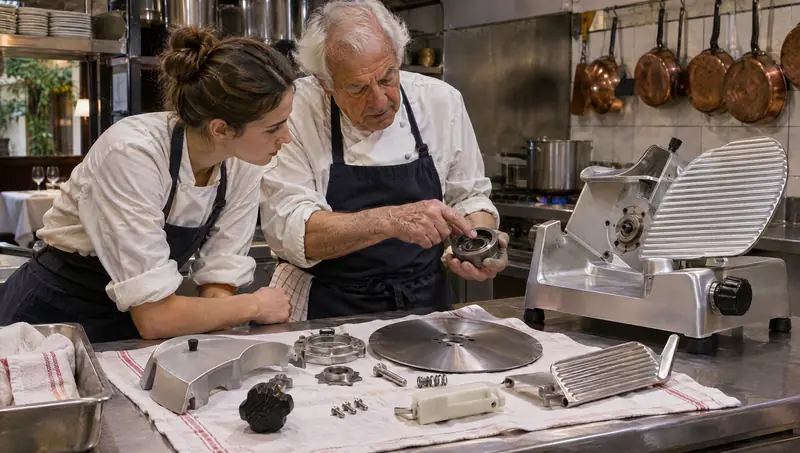
Slicer teardown, a hidden water valve: this know-how lives in one head. Have it dictated, filmed, checked, signed and dated, and it can be found at the station.