
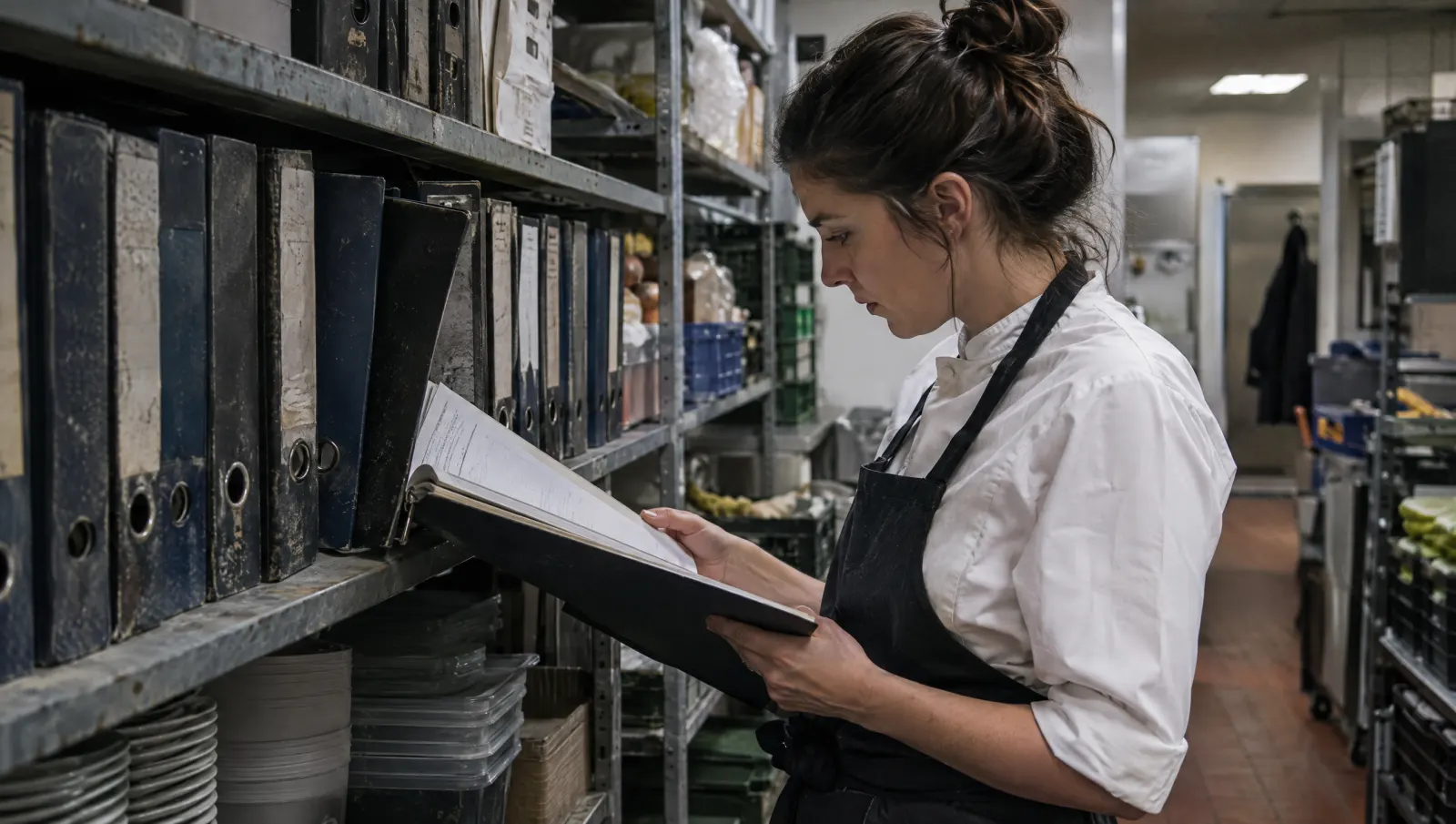
Scanning a procedure binder does not make it live: you get a digital binder that nobody opens either. To make the transition work, first sort out what is still true, break it into short sheets tied to a role and a moment in the workday, date them and give each one an owner for updates.
The office shelf and the sheet describing a fryer that is long gone
In the office at the first location, a thick binder has sat there since opening day. A new manager flips through it one evening to prepare a training session. They find the draining procedure for a fryer the restaurant replaced two years ago, a group-booking protocol from the old menu, and a food safety sheet that nobody knows is current. They close the binder, call the chef, and get all of it explained over the phone.
The binder is not useless. It holds real knowledge. But that knowledge is mixed in with dead sheets, and nothing tells one from the other.
Why binders turn into graveyards
- Nobody is responsible for updating them. A procedure is written when a need arises, then never read again.
- They are organized by topic, not by role. The line cook looks for "what I have to do at opening" in a binder filed under "hygiene, safety, quality."
- They are stored far from the task. A binder in the office is no use to someone in the kitchen.
- Nothing signals that a sheet is out of date. A yellowed page and a new one carry the same weight on the shelf.
If you digitize without dealing with these four causes, you reproduce them on screen. The shared folder holding two hundred PDF files named "procedure_v3_final" is the modern version.
Sorting into four piles, before any scanning
Put the binder on a table with three people who know the floor (the chef, a manager, a long-serving team member). Every sheet goes into one of four piles.
| Pile | Criterion | Next step |
|---|---|---|
| Keep as is | Task still performed, text accurate | Shorten, date, attach to a role |
| Rewrite | Task still performed, text vague or too long | Rework with the person who does it |
| Merge | Same task described in several places | One single sheet, the others removed |
| Discard | Equipment, menu or organization gone | Archive a copy, take out of circulation |
The "discard" pile is often the biggest. That is normal and useful: the team understands that the new base will be shorter and more accurate.
The transition method, step by step
- Choose one role, not the whole restaurant. Start with the one where you repeat yourself most (often kitchen or dining room opening). First results win people over.
- Have the person who does the task write it. The person who performs the task describes it, the owner reviews. A procedure written by the office stays theoretical.
- Enforce a short format. Title, who, when, steps in action verbs, a point of caution, review date. One page at most.
- Attach the sheet to a role and a moment. It shows up in the routine of the person concerned, not in a general folder.
- Name one owner per sheet. Their name and the date of last review sit at the bottom.
- Set a realistic review rhythm. For example, a review at every menu or equipment change, plus one pass a year. What matters is that the rule exists.
- Keep the paper binder for a while, read-only. It reassures the team, then you remove it once the new sheets are used in practice.
A sheet template to copy
Title: Kitchen opening, turning on the cooktops Role: line cook, morning kitchen When: on arrival, before any prep Steps: 1. Turn on the ventilation. 2. Check that the work surface is clean. 3. Read the walk-in temperature and log it. 4. Turn on the cooktops. Caution: if the temperature reading is outside the usual range, tell the chef before taking anything out. Owner: name of the head chef Last review: date
Mistakes to avoid
- Migrating everything at once. A six-month project that never lands discourages more than it teaches.
- Keeping dead sheets "just in case." They pollute search and make people doubt the sound ones.
- Letting the office write alone. A sheet that does not look like what is really done will not be followed.
- Forgetting to tell the team what is changing. If the veterans do not know the new sheet replaces the old one, everyone carries on as before.
What to look at
- The number of sheets consulted per role in the month. A sheet that is never opened is either not useful or not accessible.
- The number of sheets with no owner or no review date. Every orphan sheet is a risk of drift.
- The number of questions asked out loud on a topic already covered by a sheet. It points to a format or access problem, not a lack of willingness.
Where Tsuno comes in
Tsuno starts from your existing documents (PDFs, Word files, spreadsheets, photos of the binder) and turns them with you into procedures attached to roles. The extraction proposes a match, a person validates the sensitive cases, then you check on site. Each procedure is dated, assigned to a role, and passed on through checklists, training and onboarding. You can start with "Try with 3 documents," nothing sensitive. Tsuno does not replace your food safety management plan: it makes it easier to find and to follow. Your data stays yours, and can be exported. See the Mise au Carré.
To go further
The standard has to stay alive: explain it once offers a method. If your documentation mostly sits in messages, read a procedure buried in WhatsApp is not a procedure. And for onboarding, the real problem with onboarding handbooks. The overall logic is in how many times to repeat an instruction before changing the system.
Key takeaways
A scanned binder is still a binder. Sort into four piles, write short with the people who do the task, attach each sheet to a role, an owner and a date. Twenty living sheets beat two hundred dead files.
Frequently asked questions
Can you just scan a procedure binder to make it digital?
You can, but you end up with a digital binder that is opened as rarely as the original. The gain comes from sorting, breaking it into short sheets and tying each sheet to a role and a moment in the workday.
How do you decide which procedures to keep from an old binder?
Keep those that match a current task, that someone still performs, and whose last review date is known. Set aside anything that describes equipment that is gone or an organization that has been abandoned.
Who should be responsible for updating a procedure?
One named person per sheet, usually the owner of the role concerned. Without a name, nobody updates, and the sheet becomes wrong without anyone noticing.
How long should a procedure be to be usable during service?
Short enough to be read standing up, in a few dozen seconds. If it runs past one page, it is probably two procedures, or a training document rather than a task reminder.
What about regulatory procedures, such as food safety?
Keep them, date them and review them like the others, with particular care. The obligations stem in particular from the EU hygiene package, including Regulation (EC) No 852/2004. Keep the version that matches your food safety management plan.
Keep reading

Pass it on without repeating
A procedure buried in WhatsApp is not a procedure
An instruction posted in a group chat gets lost in the stream. Here is what turns a message into a procedure, plus a one-page template you can copy.
Pass it on without repeating
The real problem with the restaurant onboarding handbook
A handbook read on Monday is forgotten by Thursday. Split it into three layers and bring each piece of information back at the moment the task happens.

Pass it on without repeating
"Nobody told me": why new restaurant hires keep saying it
When a new hire says "nobody told me," the instruction was rarely missing: it was verbal, partial or given by someone else, and nobody can trace it.