
An AI connected to your business should have exactly the permissions of the person using it, not one more. A crew member who asks it a question only sees what they already see in the app; a manager at one site does not see the other site. This principle, known as least privilege, is what makes employees, employee representatives and IT leads willing to accept AI. In Tsuno, permissions are checked on the server by brand, location and role, and the AI assistant uses those of the person.
Saturday, 9:20 a.m., in the locker room
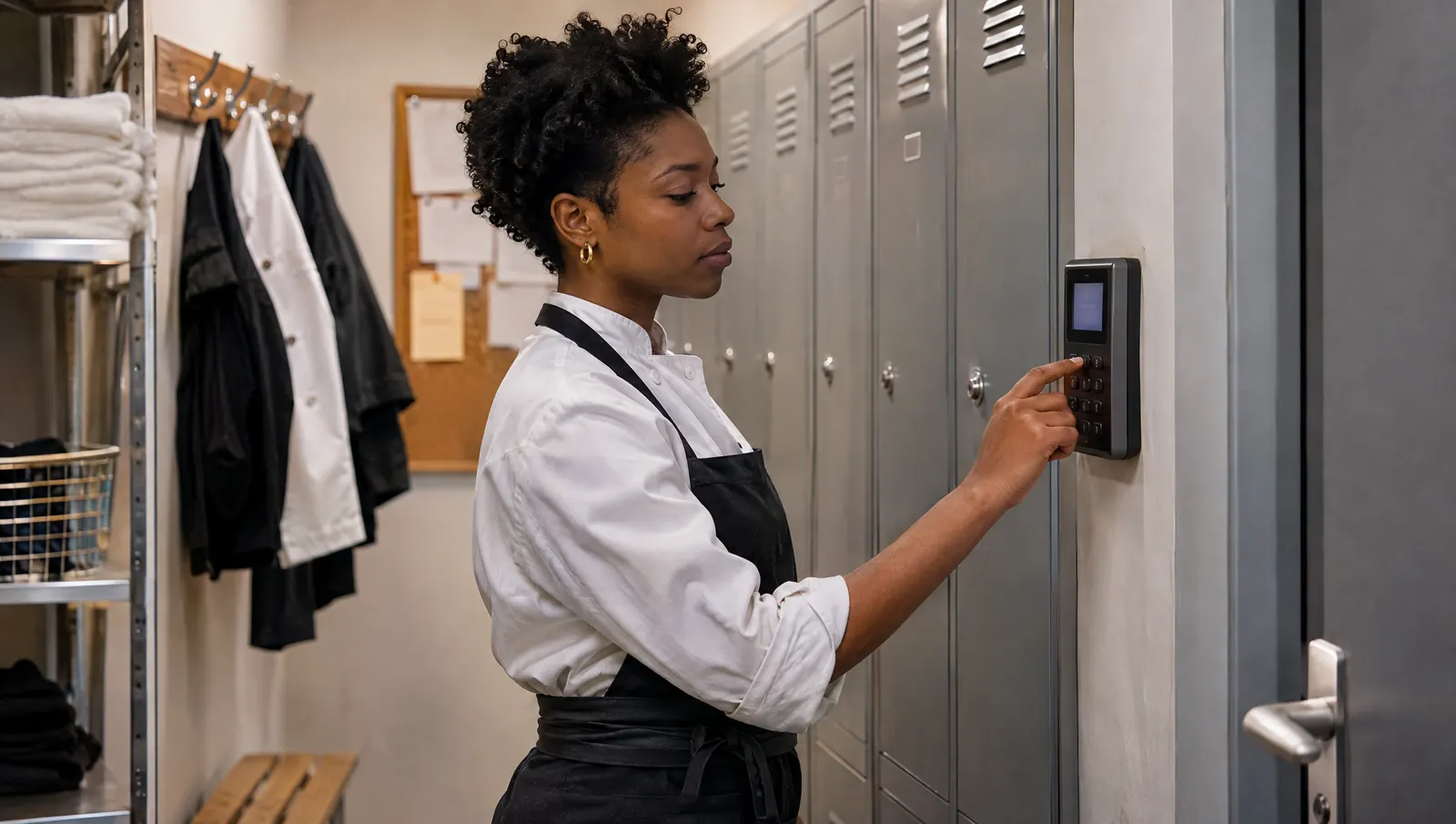
Justine arrives for opening. She types the location code and her personal code on the small device on the wall, then asks: "What time do I finish today?" The answer comes back: 3:30 p.m.
Out of curiosity, she tries: "And Grégoire, when does he finish?" Grégoire is her manager. Justine cannot see her manager's hours in the app. The assistant does not give them to her either, and simply says so.
The following Monday, at the team meeting, someone asks whether "the AI" can read everyone's schedule. Grégoire can answer in one sentence: it sees what you see, nothing more. The conversation moves on.
(Scene and characters are fictional.)
What "same rights, no more" means
A new door, not a new key
An AI connected to your management software is a new way into the same rooms. It should not open any extra room. If a line cook cannot look up payroll costs in the app, they should not be able to ask the AI for them either, however politely, however they rephrase it.
Least privilege, without the jargon
The principle is an old one in security: everyone only gets access to what they need for their job. In France, the CNIL (the data protection authority) puts it plainly in its guidance sheet on managing access rights (personal data security guide, 2024): limit each user to the data strictly needed for their tasks, remove access as soon as it is no longer justified, and review permissions at least once a year. The GDPR (Article 25) also requires data protection by default. AI does not change these rules. It just makes them more visible.
One site does not see the other
In a restaurant group, the question comes up from the second location onwards. The manager at Confluence has no business seeing the hours, incidents or review meetings at Part-Dieu. A supervisor sees the locations assigned to them. And one brand never sees another brand.
Why this is what trust depends on
For employees
The first fear about AI at work is being watched. If the AI can read everything, every question becomes a risk: "what if someone asks it what I did yesterday?" When the rule is simple and testable (it sees what you see), the fear subsides.
For employee representatives
In France, companies with at least 50 employees must inform and consult their works council (CSE) before introducing any means of monitoring employees' activity (French Labor Code, Article L2312-38). An AI with a blurry scope will be read as a monitoring tool. An AI that reuses existing permissions is much easier to present, because it adds no access at all. Other countries have their own rules on consulting staff; check what applies to you.
For the IT lead
The IT manager, or whoever plays that role, always asks the same question: who sees what, and how can I check? An AI that reuses the app's permissions does not create a second set of rights to manage. There is a single list, and it applies everywhere.
What Tsuno has put in place
Here is what is in place in Tsuno today, as described on our Trust and data page.
- Permissions are enforced on the server. Every read and every write checks the brand, the location and the role, not just the login.
- Your AI assistant is tied to your permissions. Whether it is San or your usual assistant (ChatGPT, Claude, Mistral), it only sees and does what you can already see and do in Tsuno.
- A removed permission takes effect immediately. The role is re-read continuously, and removing a location or a role, or a departure, ends open sessions.
- Permissions are checked again when an action is confirmed. If an access was removed between the proposal and the "yes", the action does not go through.
- The shared device stays in its place. The kitchen or dining room tablet only sees the location where it is installed.
- No bulk extraction. Reads from an AI assistant are capped, so the connection cannot be used to pull out all your data.
On the voice side, each person opens their session with the location code and their personal PIN. That is how the assistant knows who is speaking, and therefore which permissions to apply.
Role by role: what the AI can read and prepare
The table below illustrates the principle. Exact permissions depend on how your organization is set up in Tsuno; the rule itself does not change: the AI follows the person's role and locations.
| Role | What the AI can read | What it can prepare (to be confirmed) |
|---|---|---|
| Crew member | Their own schedule, today's tasks, their location's procedures and checklists | A report, a task marked done, a completed checklist |
| Location manager | Their site's schedule, tasks, checks and incidents | A shift, a task for the team, a dated fact |
| Supervisor | The locations assigned to them, not the others | The same actions, on their locations only |
| Brand executive | The locations of their brand, never those of another brand | Actions within their scope, always in two steps |
| Every role | No ranking of people is ever passed to the AI | Never: payroll, invoicing, permanent deletion and legal acts |
Common mistakes
- The shared account. A common "kitchen" or "team" login makes it impossible to know who asked for what, and gives everyone the rights of the most senior person on it. The CNIL recommends a unique login per user. A shared device limited to one site is not the same thing as a shared account.
- Connecting the AI to the owner's account. It is tempting to save time: one connection, everything visible. But anyone using that connection then sees what the owner sees. Everyone connects their assistant to their own account.
- The former employee still logged in. A departure that was not recorded is an access left open. In Tsuno, deactivating someone or ending their contract closes their open sessions: but it still has to be done on the day.
- Temporary extra rights that nobody removes. A crew member made closing lead for a week sometimes keeps those rights for six months. Review roles after every change in the organization.
- Expecting the AI to sort it out. What it may show is decided by the permission system, enforced on the server, never in the conversation.
What to measure
- The time between a departure or role change and the permission update. The target is the same day.
- The number of shared or generic accounts still active. The target is zero, apart from shared devices limited to one site.
- The date of the last role review, site by site. The CNIL recommends at least one review a year.
Where Tsuno and San fit in
In Tsuno, the AI has no rights of its own. It borrows those of the logged-in person, checked on the server at every read and every write, and loses them as soon as the person does. That applies to San and to your usual AI assistant alike. San Voice, the voice interaction, is available as a demo; San Audio and San 360 are still being explored. To see how permissions behave on your own documents, the Tsuno San page introduces the assistant and Trust and data explains who sees what.
Further reading
Permissions are only half of trust: the other half is confirmation, covered in AI proposes, a human confirms. To understand how an AI is connected to a business, read MCP explained for frontline trades. On the fear of surveillance, see why management software can quickly feel like surveillance and, for the legal side in France, should you consult employee representatives before using a voice assistant? The assistant's red lines are gathered in what San never does.
Key takeaways
An AI only earns a team's trust if it sees nothing more than the person asking. Permissions enforced on the server, one account per person and access cut on the day someone leaves make the rule something everyone can check, which no promise does.
Frequently asked questions
Can an AI connected to my business see more than I can?
It never should. In Tsuno, your AI assistant only sees and does what you can already see and do in Tsuno: same locations, same role, same limits.
Can a crew member see the whole team's schedule by asking the AI?
Only if they can already see it in the app. Switching interface grants no extra rights: the AI applies the permissions of the person asking.
What happens when an employee leaves or changes role?
In Tsuno, removing a location or a role, or a departure, ends open sessions. The role is re-read continuously, so the AI immediately loses whatever the person has lost.
Can we connect the AI to the owner's account to save time?
That is the worst option. Anyone using that connection would then see what the owner sees. Each person needs their own access, with their own permissions.
What do privacy regulators recommend about access rights?
In France, the CNIL's guidance on managing access rights (2024) recommends limiting each user to the data they strictly need for their job, removing access as soon as it is no longer justified, and reviewing permissions at least once a year.
Keep reading

AI and tools
12 questions to ask before connecting an AI to your business
Rights, confirmation, logs, data sent out, exclusions, leavers: 12 questions to ask a vendor before connecting your AI, and the answers to demand.

AI and tools
AI at work glossary for restaurant owners: 38 terms explained in kitchen language
Assistant, agent, MCP, hallucination, access rights, DPIA, AFEST: 38 AI-at-work terms defined in restaurant language, each with a kitchen example.

AI and tools
AI proposes, a human confirms: the two-step rule
In day-to-day operations, AI should never act alone: it prepares and summarizes, a person reads and confirms. Why it matters, how it works, and the traps.