

A demo shows the best path, with clean data and a user who knows the route. To choose without being fooled, turn the demo around: bring your documents, ask your questions, request edge cases and watch how the tool reacts when it does not know. That reaction, more than the screens, tells the truth about the product.
The demo where everything went too well
A fictional owner sits through a one-hour demonstration. The salesperson opens a sample restaurant, clicks on a location, displays a full dashboard, asks the tool a question, and the answer comes back clear and with figures. The owner is convinced. Three weeks after launch, they ask the same question about their own group. The tool answers with an empty screen: their locations' data is not there, the records do not match the templates, the role names are not the same.
The demo did not lie. It showed the tool filled in. It did not show what it takes to get it filled in.
Why demos mislead even when nobody cheats
- The data is prepared. A sample restaurant has no badly typed accent, no missing opening hour, no unexpected column.
- The path is rehearsed. The salesperson knows where to click and naturally avoids the fragile areas.
- Time is short. An hour leaves no room to test an edge case or to enter a real day.
- The buyer looks at the result, not the effort. You see the final screen, not the weeks it took to get there.
- The questions come from the script. Nobody asks the absurd or ambiguous question that comes up in real life.
The ordinary demo versus the useful demo
| Dimension | Perfect demo | Useful demo |
|---|---|---|
| Data | The vendor's | Yours, imperfect |
| Questions | The script's | The ones you ask on Monday |
| Edge cases | Avoided | Explicitly requested |
| Errors | Hidden | Shown and explained |
| Setup | Glossed over | Detailed: who does what, in how long |
| Exit | Not discussed | Export format, reversibility |
| Participants | Owner and salesperson | Owner, a floor manager, a team member |
Seven tests to insist on before signing
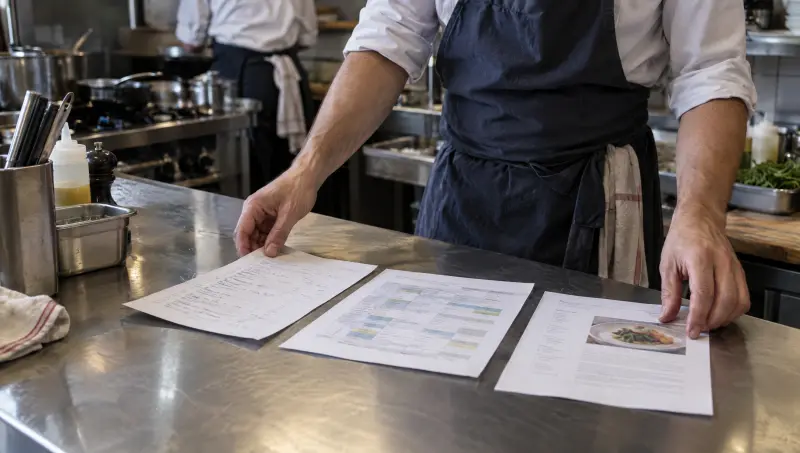
- Bring three real documents. A procedure, a schedule, a recipe. See how the tool reads them, what it does with them, what it leaves out.
- Ask five Monday-morning questions. For example: "How did the week go?", "What was not dealt with?" Note the answers as they come.
- Ask one question that cannot be answered. Does the tool say it does not know, or does it invent something plausible?
- Demand provenance. An answer must be traceable to a fact, a date, the person who entered it.
- Have a manager enter data. Time a real entry, not a guided one.
- Ask for the way out. How do you export, in what format, at what cost if any?
- Call a comparable reference. A group of similar size, a similar organization, not the showcase customer.
A simple rule helps you keep a cool head: decide before the demo what you want to see, write it down, and sign nothing until those points have been shown on your data. If the vendor refuses even one, note it, because that refusal tells you how they will support you afterward.
Classic evaluation traps
- Being guided by the design. A beautiful screen says nothing about how reliable the answers are.
- Evaluating the feature list. A feature being present does not mean your teams will use it.
- Asking the tool a question only with the salesperson present. Come back alone with your manager, on your data.
- Accepting "it's planned." An announced feature is not an available feature. Ask to see it.
- Forgetting the size of your teams. A tool designed for very large chains often demands more rigor in data entry than your organization can provide.
What to observe during the trial
- The number of questions the tool answers correctly on your data, compared with the number asked.
- A manager's entry time over a real day, measured to the minute.
- The number of times the tool says it does not know, rather than answering off target. That is a good sign.
Where Tsuno comes in
Tsuno offers exactly this approach: "Try with 3 documents," nothing sensitive (a recipe, a procedure, a checklist or an anonymized schedule). You see what Tsuno does with your material, with the proposed match validated by a person for anything sensitive. When data is missing, Tsuno says so instead of making something up, and each fact keeps its provenance (measured, declared, proven, observed, deduced or absent). Tsuno replaces neither your POS nor your payroll, and your data stays exportable. See the trust page.
To complete your evaluation
Before comparing, read three documents that reveal whether software understands your restaurant, then how to tell whether restaurant software will save or waste time. For the cost side, see what restaurant management software really costs. The question that comes before all this is covered in do restaurants really need another software tool.
Key takeaways
A perfect demo proves the tool works in good conditions. To find out whether it will work for you, bring your documents, ask your questions, request the case where the tool does not know and check the exit. A tool that is honest about its limits is more reliable than one that shines on its examples.
Frequently asked questions
What should you ask for in a restaurant software demo?
Ask to see the tool with your own documents and to ask your own questions, not those of the prepared script. Also ask what happens when data is missing or when the tool gets it wrong.
How do you spot a demo that is too perfect?
The data is spotless, the screens always full, and nobody shows what happens when an entry is missing. An honest demo also shows the limits and the cases where the answer is "I don't know."
Which documents should you bring to test software?
A procedure you really use, a real schedule (anonymized if needed), a recipe or a spec sheet. They contain the small irregularities that demo templates do not have.
Who should attend the demo on the restaurant side?
At least one floor-level manager in addition to the owner, because they will be the one entering data and using the tool. A tool that pleases the office and displeases the floor rarely ends up well used.
How long does it take to test a tool properly?
A few weeks of use at a real location are worth more than a one-hour demo. Decide in advance what you want to observe, for example entry time or the number of questions the tool can answer.
Keep reading
AI and tools
Measuring restaurant software ROI in 90 days: the method
To measure restaurant software ROI in 90 days, record five variables before launch, then compare at 30, 60 and 90 days using your own figures.
AI and tools
Three documents to test whether software understands your restaurant
One real procedure, one recipe and one schedule are enough to see whether software understands your restaurant or just fills in its own templates.

AI and tools
Free account or guided trial: what is empty software worth?
An empty free account confirms the fear of yet another tool to set up. For rich software, a trial on your own documents proves far more than a blank page.